Technology

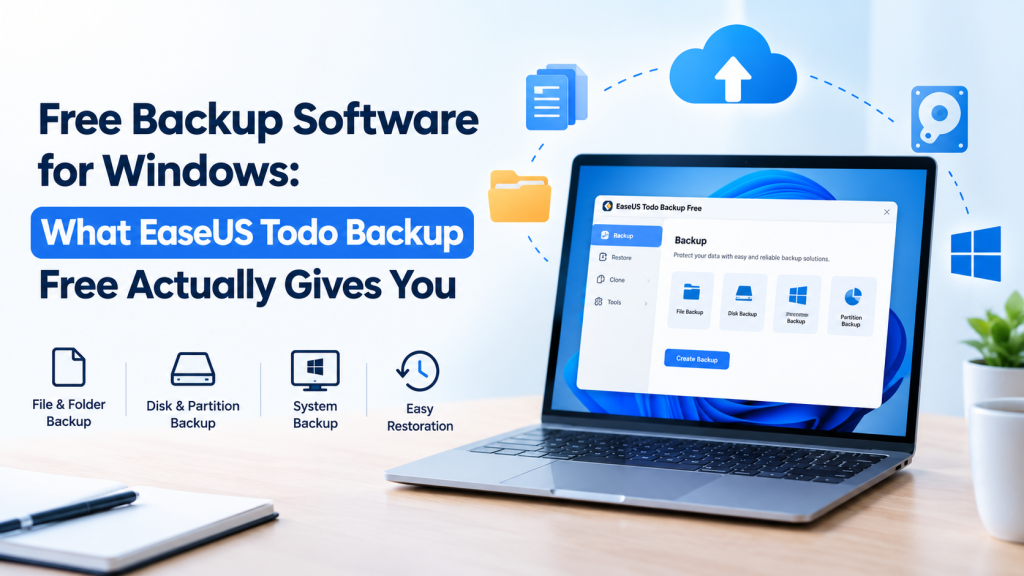
Free Backup Software for Windows: What EaseUS Todo Backup Free Actually Gives You

Nobody backs up their PC until something breaks. A drive dies on a Tuesday. A Windows update wrecks the boot process. Ransomware turns the Documents folder into gibberish. Then everyone remembers, usually too late. The good news is you don’t have to pay to do this properly. There’s plenty of free backup software for Windows, and EaseUS Todo Backup Free is one of the stronger ones. This post covers what it does, where the free version stops, and how to get a first backup done in one sitting. What it actually backs up Files and folders, obviously. But it also handles whole disks, single partitions, and Windows itself as a system image, and that image is the part worth caring about. Restore it and you get the operating system, your installed programs and your settings back in one go. No hunting for old installers. Where do the backups go? Almost anywhere sensible: a second internal drive, a USB or external disk, a NAS, a shared network folder, or cloud storage. It runs on Windows 11, 10, 8 and 7. What you get without paying Quite a lot, as it turns out. You can schedule backups daily, weekly or monthly, so you stop relying on your own memory. You can lock a backup with a password. You can pick between full, incremental and differential backups (more on those in a second). And there’s a bootable rescue disk for the day Windows refuses to start. EaseUS also says you can open, and even edit, files during a restore instead of waiting for the whole job to finish, and that you can restore to the original location or somewhere new. The cloud option needs a caveat. It’s 250 GB for 30 days, which is a trial. Nice for testing, not something to build a long-term plan on. Full, incremental, differential Full means everything, every time. Big, slow, dead simple to restore. Incremental copies only what changed since the last backup, whatever type that was, so it’s small and quick, but a restore means stitching the chain together. Differential copies everything changed since the last full backup. It gets bigger as the days pass, yet you only need two pieces to restore. For a home PC I’d start with one full backup, run incrementals on a schedule, and take a fresh full every month or so. Three copies, two kinds of storage, one somewhere else That’s the 3-2-1 rule, and it’s why a single backup sitting on your C: drive doesn’t really count. If the disk dies, the backup dies with it. Todo Backup can send backups to an external drive, a network location and the cloud, so following the rule doesn’t need a second program. Make the rescue disk first If the PC won’t boot, your backup software can’t run, and now you’re stuck. The WinPE rescue disk gets around that. EaseUS suggests creating it when you build your first backup, and I’d agree. Making one after a crash means finding another working computer, and if you don’t have one handy, that’s a bad day getting worse. Where the free version stops Cloning is the big one. Copying a disk, partition or system to a new drive is a Home feature. So are restoring a system image to different hardware and backing up app data like Outlook email, Chrome data and game files. If you’re moving to a bigger SSD, this isn’t the free tool for that. Home was $39.95 on the product page when this was written, with a 30-day money-back guarantee on paid purchases. Prices move, so check before you buy. Windows File History is not the same thing File History ships with Windows 10 and 11 and saves versions of your files to an external drive. It’s free, it’s built in, and it’s fine for documents and photos. But it doesn’t image the operating system or a full disk, so it can’t rebuild a dead Windows install. That’s the job of free backup software with system imaging, like Todo Backup Free. Your first backup It’s a wizard. Choose the source (files, a disk or partition, or the OS), choose the destination, hit start. Then, before you close the window, set a schedule and build the rescue disk. That’s a couple of extra minutes. And don’t make the drive you’re backing up the only home for its own backup. So, is it worth it? For most home users, yes. If cloning or restoring to different hardware matters to you, factor in the Home upgrade or use a separate cloning tool. Whatever free backup software you settle on, get it running this week. An okay backup that actually runs beats a perfect plan that doesn’t.  

Free Backup Software for Windows: What EaseUS Todo Backup Free Actually Gives You Read More »

The App Builder That Treats “I Have an Idea” as a Real Starting Point

There’s a particular kind of frustration that comes with having a genuinely good app idea and no easy way to actually build it. Learning to code takes months you don’t have, hiring a developer takes budget most early founders don’t have either, and a lot of no-code tools stop short at a pretty interface with nothing real running underneath it. Emergent was built specifically for that gap, turning a plain-language description into an actual, functioning application, not just a mockup of one. Not Just Another Prompt-to-Frontend Tool A lot of AI builders that emerged over the past couple of years focus almost entirely on the visual layer, generating a slick looking screen while leaving the actual backend logic, database, and deployment as someone else’s problem. Emergent takes a noticeably different approach. Rather than a single model generating surface-level UI, it runs multiple specialized AI agents working together, one handling frontend design, another managing backend logic and database structure, working in parallel rather than in sequence. The result is a genuinely full-stack output: frontend, backend, database, authentication, and deployment infrastructure, all generated from a conversational description rather than pieced together manually. For anyone trying to build app without coding experience of their own, that distinction between a pretty prototype and a working application is really the entire point. A Workflow Built Around Iteration, Not a One-Shot Prompt Emergent doesn’t expect you to write the perfect prompt on the first try and walk away with a finished product. The process is closer to a conversation: describe what you want, get an initial build, then keep refining specific pieces through follow-up prompts, adjusting features, tweaking design, or fixing a workflow that isn’t quite right. That iterative loop matters because real software ideas rarely arrive fully formed, they evolve as you actually see them working. Speed That Changes What “Testing an Idea” Actually Means For founders and product teams, the biggest practical advantage isn’t a specific feature, it’s speed. Concepts that would traditionally take weeks of engineering time to validate can go from a written description to a working, testable application in a fraction of that time. That shift matters enormously for early-stage validation, since it means testing whether an idea actually resonates with real users happens before committing serious engineering resources to it, not after. Teams researching an AI app builder for startups tend to prioritize exactly this: the ability to move from concept to something users can actually click through, without waiting on a full development cycle just to find out if the idea holds up. Code You Actually Own, Not Code You’re Locked Into One detail that separates Emergent from a lot of lighter-weight builders is code ownership. The applications it generates are real, exportable codebases, typically built on frameworks like React or Next.js for the frontend and Node.js or similar for the backend, meaning teams aren’t stuck inside a proprietary platform with no path forward. Code can be exported, self-hosted, and extended by an actual engineering team later on, which matters a great deal for anyone planning to scale past the initial prototype stage. Built for People Who Aren’t Necessarily Developers Emergent is explicitly designed around accessibility for non-technical founders and product-minded builders. Requirements are described in plain language rather than code, and the platform handles the technical translation underneath. That doesn’t mean zero learning curve, getting genuinely production-ready results still benefits from clear, specific prompts and some iteration, but it removes the traditional barrier of needing engineering expertise just to get started. What’s Worth Knowing Before You Dive In Like most credit-based AI tools, it’s worth understanding how usage is priced before building anything substantial. Credits are consumed based on the actual work the platform performs, meaning a complex build with multiple iterations will use more than a simple one. It’s a fair model, but one worth planning around rather than being surprised by mid-build. It’s also worth setting expectations that AI-generated applications, however capable, still benefit from a human review pass before going into full production use, particularly around security and edge cases a first draft might not anticipate. The Bottom Line The gap between having an idea and having something real to show for it has always been where most projects stall out. Emergent exists specifically to shrink that gap, turning a plain-language description into an actual, working, full-stack application rather than a static mockup. For founders and teams who want to test, build, and iterate quickly without waiting on a traditional development cycle, it’s one of the more genuinely capable tools currently doing that.

The App Builder That Treats “I Have an Idea” as a Real Starting Point Read More »

Why Emergent is the New Secret Weapon for Small Businesses: From “Vibe” to Velocity

For most small business owners, the time between coming up with a great app idea and getting it live feels like a canyon. You usually have two options: pay thousands of dollars to hire a developer or spend six months trying to figure out “no-code” tools that still feel like work. Agentic Vibe Coding has become the third option in the tech world in 2026. Emergent is at the heart of this movement. What does Emergent do? Emergent is the first development workspace in the world that is truly agentic. Emergent doesn’t use traditional tools like dragging and dropping boxes. Instead, it uses autonomous AI agents to build, test, and deploy full-stack applications based only on what you say in natural language. You tell the agents what to do, and they do it. 1. From zero to production-ready in an hour   The main promise of the platform is speed. You can go from one prompt to a web or mobile app that is ready for production in about an hour. This isn’t just a “mockup.” It’s a working system with a frontend, backend logic, and a database that are all already connected. 2. No team of developers? No problem. About 70% of Emergent’s users have never coded before. They are using the platform to replace old, messy manual workflows, like spreadsheets and long email threads, with custom-built SaaS tools and internal dashboards. 3. Agents That Act Like a Real Engineering Team Emergent doesn’t just “guess” what your code is. It uses special agents that act like a real development team: Planning Agents: Divide your difficult goals into manageable tasks. Execution Agents: Set up APIs and write code. Testing and Debugging Agents: Keep an eye on logs, find problems, and fix them on their own. 4. Deployment with One Click Hosting and infrastructure are two of the most frustrating things for people who don’t work in IT. Emergent does this on its own. You can deploy with just one click, whether you need a web app or a native mobile app for Android or iOS. You don’t need to manage any servers. 5. Made to grow Emergent can be used for more than just small prototypes. It supports enterprise- level governance, role-based access control, and safe, separate execution environments. You can add new workflows and integrations to your business as it grows without breaking the ones that are already there. Is it right for you? Emergent.sh is the quickest way to get around technical problems that are holding you back. It lets you think about the “why” of your business while the AI takes care of the “how” of the code. Are you ready to make your first app? Go to Emergent and start “vibe coding” right away.  

Why Emergent is the New Secret Weapon for Small Businesses: From “Vibe” to Velocity Read More »

Best Travel Gadgets for Frequent Flyers: Enhance Comfort and Efficiency

Traveling can be both exhilarating and exhausting, especially for frequent flyers. Long hours in airports and cramped airplane seats can take a toll on comfort and productivity. Fortunately, a range of innovative travel gadgets can significantly enhance your travel experience, making it more enjoyable and efficient. Here’s a roundup of the best travel gadgets designed specifically for frequent flyers. 1. Noise-Canceling Headphones Example: Bose QuietComfort 45 / Sony WH-1000XM4 Noise-canceling headphones are a game-changer for frequent travelers. They help block out the hum of the airplane engines and chatter of fellow passengers, allowing you to enjoy music, podcasts, or simply relax in peace. Look for options with long battery life and comfort for those extended flights. 2. Portable Charger Example: Anker PowerCore 26800 A reliable portable charger is essential for keeping your devices powered throughout your journey. The Anker PowerCore 26800 offers multiple USB ports and high-capacity power, ensuring your smartphone, tablet, and other devices stay charged during layovers or long flights. 3. Travel Pillow with Support Example: Trtl Travel Pillow Traditional neck pillows can be bulky and ineffective. The Trtl Travel Pillow offers ergonomic support and packs down small, making it perfect for long flights. Its unique design keeps your head in a comfortable position while you snooze, helping you arrive at your destination refreshed. 4. Smart Luggage Example: Away Bigger Carry-On Smart luggage has become increasingly popular among frequent flyers. The Away Bigger Carry-On not only has ample space for your belongings but also includes a built-in battery for charging devices on the go. With its durable design and sleek aesthetics, it’s both functional and stylish. 5. Universal Travel Adapter Example: EPICKA Universal Travel Adapter A universal travel adapter is essential for globetrotters. The EPICKA Universal Travel Adapter allows you to charge your devices in over 150 countries. Its compact design and multiple USB ports make it convenient for charging several devices simultaneously. 6. E-Reader Example: Amazon Kindle Paperwhite For book lovers, carrying physical books can be cumbersome. An Amazon Kindle Paperwhite offers a library of thousands of books in a lightweight device. Its glare-free screen is perfect for reading during flights, and the built-in light allows you to read in dim conditions. 7. Digital Luggage Scale Example: Etekcity Digital Luggage Scale Avoid surprises at the check-in counter with a digital luggage scale. The Etekcity Digital Luggage Scale helps you weigh your bags before heading to the airport, preventing any excess baggage fees and ensuring you can pack efficiently. 8. Portable Wi-Fi Hotspot Example: Skyroam Solis X Staying connected while traveling is crucial for frequent flyers. The Skyroam Solis X is a portable Wi-Fi hotspot that provides reliable internet access in over 130 countries. With its built-in power bank, it also ensures your devices stay charged throughout the day. 9. Smartphone Travel Apps While not a physical gadget, travel apps can significantly enhance your experience. Apps like TripIt for organizing itineraries and Google Maps for navigation are essential tools. FlightAware can keep you updated on flight statuses, while Duolingo is great for learning key phrases in a new language. 10. Travel Organizer Bag Example: Gonex Travel Organizer Keeping your essentials organized can make a huge difference. A Gonex Travel Organizer offers multiple compartments for chargers, cables, and other accessories, ensuring everything is easily accessible during your journey. Conclusion For frequent flyers, the right gadgets can transform a long journey into a more comfortable and efficient experience. From noise-canceling headphones to smart luggage, these travel tools help you stay organized, relaxed, and connected. By investing in these gadgets, you can focus more on the adventure ahead and less on the stresses of travel. Safe travels!

Best Travel Gadgets for Frequent Flyers: Enhance Comfort and Efficiency Read More »

Best Drones for Aerial Photography: Capture Stunning Views from Above

Drones have revolutionized the world of photography, providing breathtaking perspectives that were once only possible with expensive helicopters or airplanes. Whether you’re a professional photographer, a hobbyist, or just someone who loves capturing stunning landscapes, choosing the right drone for aerial photography is essential. In this comprehensive guide, we’ll explore some of the best drones on the market, considering factors like camera quality, flight time, ease of use, and overall performance. Why Use a Drone for Aerial Photography? Drones offer several advantages for photographers: Key Features to Consider Before we dive into our top picks, let’s look at the essential features to consider when choosing a drone for aerial photography: Top Drones for Aerial Photography 1. DJI Mavic 3 The DJI Mavic 3 is widely regarded as one of the best drones for aerial photography. With its impressive camera capabilities and long flight time, it allows photographers to capture stunning images and video in 5.1K resolution. Its advanced obstacle avoidance system and intelligent flight modes make it a favorite among both professionals and enthusiasts. 2. DJI Air 2S The DJI Air 2S strikes a perfect balance between performance and portability. Its larger sensor captures more light, resulting in better image quality, especially in low-light conditions. The Air 2S features advanced obstacle sensing in all directions, making it easier to navigate complex environments, and its compact design makes it travel-friendly. 3. Autel Robotics EVO Lite+ The Autel EVO Lite+ offers an impressive camera combined with exceptional flight capabilities. With its large sensor, it excels in capturing details and colors, and the drone’s long battery life allows for extended shooting sessions. It also features a user-friendly app that enhances the flying experience. 4. Skydio 2 Skydio 2 is known for its autonomous flying capabilities, making it a standout choice for action shots and complex environments. Its advanced obstacle avoidance technology allows it to navigate challenging landscapes without manual control, perfect for capturing dynamic footage while mountain biking, hiking, or during events. 5. DJI Mini 2 The DJI Mini 2 is an excellent entry-level drone for photographers looking to explore aerial photography without breaking the bank. Its compact size, lightweight design, and impressive camera make it perfect for beginners and travelers. Despite its smaller size, it offers high-quality images and videos, making it a fantastic option for those new to drone photography. 6. Parrot Anafi The Parrot Anafi is known for its unique 180-degree tilt gimbal, which allows for creative shooting angles. Its 4K HDR capabilities make it suitable for capturing stunning video and photos, and the lightweight design enhances portability. While it may not have the advanced features of other drones, its camera quality and price make it a great choice for casual photographers. Tips for Aerial Photography Once you’ve chosen your drone, keep these tips in mind to enhance your aerial photography: Conclusion Aerial photography offers a unique and breathtaking way to capture the world around us, and the right drone can make all the difference. Whether you’re a seasoned professional or just starting, the options listed above represent some of the best drones for aerial photography available today. By considering your specific needs, budget, and desired features, you can find the perfect drone to elevate your photography game. Happy flying and capturing those stunning aerial shots!

Best Drones for Aerial Photography: Capture Stunning Views from Above Read More »

VIRTUAL PRIVATE NETWORK ( VPN )

The Internet is one of the most complicated and quickly changing technologies ever devised. As the network grows into a worldwide communications system, As a result of the new system, enterprises and individuals will be more concerned about data security. Cloud providers’ network infrastructure enables users to connect to and share files with other devices in a centralized location. However, did you know that if a hacker gains access by monitoring connections, he may be able to not only take control of data transmission but also simply grab any file from anywhere on the planet if we use Google Drive to share files? Many companies use open source routers with vulnerabilities against traffic analysis, such as IPsec. To prevent these attacks and keep our data safe, we need more standards and higher levels of security, which will ensure security beyond TCP/IP protocols while keeping out software designed to intercept our VPNs’ packets without revealing their original identities. Sharing data via the internet has become a regular occurrence for us. Virtual Private Networks (VPNs) allow us to establish a secure connection with another network over the Internet. They can also be used to gain access to region-restricted websites and protect your browsing behavior while using public Wi-Fi. A FEW OF THE BEST VPN OPTIONS The following are the three main advantages of utilizing a VPN: VPN Express If you’re searching for the best all-around VPN option, Express VPN is a great alternative, especially on Mac, because its dedicated client is incredibly user-friendly and has a one-click connection option as well as some complex features. There’s also a great iOS app and Safari browser extension, so you can get a comprehensive Mac VPN experience. The Express VPN Mac client supports various languages, including German, Spanish, Russian, and Japanese, and is best recommended for US-based customers and those all over the world. Cyber Ghost’s Cyber Ghost’s best feature, in my opinion, is their convenient live chat service, which is useful if we ever run into problems. It also provides guaranteed no logs, stringent encryption, and a trigger-happy kill button for any security breaches, making it extremely powerful. If we want to unlock Netflix, YouTube, or anything else, we don’t have to worry because CyberGhost will automatically link us to the server that is suitable for this reason. It also features a feature that prevents advertisements, trackers, and harmful websites from being displayed. Surfshark Surfshark offers fast global connections, a simple-to-use interface, Netflix and iPlayer unblocking, and all of the other features that make a product worthy of being on our top list. Interacting with some Surfshark users, I discovered that the main reason for downloading it is for the added layer of security, as Surfshark provides OpenVPN and several other protocols, including the super fast WireGuard, as well as encryption to ensure that no one can see what sites we are visiting. Shield Against Hotspots If you’re looking for a VPN that can keep up with you, Hotspot is a good option. We tested connection speeds to multiple servers, just like we did when I was choosing a VPN for myself, and Hotspot Shield blew away the competitors. I understand that system slowdown is a reason why some people avoid using VPNs, however Hotspot’s Catapult Hydra protocol ensures that you don’t experience any delays.

VIRTUAL PRIVATE NETWORK ( VPN ) Read More »

The Ultimate Gift: Why a Secret lab Chair is the Perfect Choice for Gamers and Professionals

In today’s world, where remote work and gaming are becoming increasingly popular, having the right chair can make all the difference. Enter the Secret lab chair—a gaming and office chair that has quickly become a favorite among both gamers and professionals alike. If you’re looking for the ultimate gift that combines comfort, style, and functionality, a Secret lab chair should be at the top of your list. Let’s explore why this chair is the ultimate gift and how it can enhance the gaming and work experience. Comfort That Lasts One of the standout features of Secret lab chairs is their exceptional comfort. Engineered for long hours of use, these chairs feature: Ergonomics at Its Best Incorporating ergonomic design, Secret lab chairs support healthy posture and reduce strain on your back and neck. Whether you’re gaming, working, or simply lounging, this chair promotes comfort and well-being. Investing in a chair that prioritizes your health is not just a luxury; it’s a necessity for anyone spending long hours at a desk. Style Meets Functionality Secret lab chairs come in a variety of styles and colors, allowing you to express your personality while maintaining a professional look. Whether you prefer a sleek, minimalist design or a bold, gaming-inspired aesthetic, there’s a Secret lab chair that fits your style. Customization Options Secret lab also offers customizable designs, allowing you to choose from various fabrics, colors, and even themed editions based on your favorite games. This level of personalization makes each chair not just a piece of furniture but a reflection of your identity. Built to Last Durability is another hallmark of Secret lab chairs. Designed with high-quality materials and a robust construction, these chairs are built to withstand years of use. Whether you’re an avid gamer or a professional working from home, you can trust that your Secret lab chair will be a long-lasting investment. Perfect for Every Occasion Looking for the perfect gift for a Child, family member, or even yourself? A Secret lab chair fits any occasion: The Gift That Keeps Giving The value of a Secret lab chair extends beyond its initial use. By investing in comfort and ergonomics, you’re promoting productivity and well-being in the long run. It’s a gift that continually enhances the recipient’s daily routine, making it an ideal choice for anyone who spends significant time at their desk. In a world where comfort and style matter, the Secret lab chair stands out as the ultimate gift for gamers and professionals alike. With its ergonomic design, customizable options, and durable materials, it’s more than just a chair; it’s a lifestyle upgrade. Whether for yourself or a loved one, investing in a Secret lab chair is a decision that pays off in comfort, health, and style. Ready to make the perfect gift choice? Check out the latest Secret lab models and find the ideal chair that fits your or your loved one’s unique style today!

The Ultimate Gift: Why a Secret lab Chair is the Perfect Choice for Gamers and Professionals Read More »

Technology For Growth And Efficiency

Businesses can leverage technology for growth and efficiency in numerous ways. Here’s a breakdown of some key strategies: 1. Automation of Processes 2. Data-Driven Decision Making 3. Cloud Computing 4. Enhanced Customer Experience 5. Digital Marketing and E-Commerce 6. Remote Work and Collaboration Tools 7. Cybersecurity 8. Supply Chain Optimization 9. Artificial Intelligence and Machine Learning 10. Adopting Agile Methodologies 11. Internet of Things (IoT) 12. Human Resources Technology 13. Innovation through R&D 14. Cost Management and Efficiency By leveraging these technological advancements, businesses can enhance their growth prospects, increase efficiency, and maintain a competitive edge in the market.

Technology For Growth And Efficiency Read More »

The Role of AI Assistants in Healthcare: Transforming Patient Care and Medical Management

Artificial Intelligence (AI) has been steadily revolutionizing various sectors, and healthcare is no exception. Among the most promising AI applications in healthcare are AI-powered assistants, which are transforming the way medical professionals work, how patients manage their health, and how healthcare systems operate. From providing virtual care to streamlining administrative tasks, AI assistants are becoming indispensable tools in the healthcare industry. This blog delves into the critical roles that AI assistants play in healthcare, exploring their current applications, potential benefits, and the challenges they face. 1. AI Assistants in Patient Care One of the most significant impacts of AI assistants in healthcare is their role in improving patient care. These virtual assistants are designed to help patients manage their health more effectively by providing personalized support, reminders, and information. 2. AI Assistants for Healthcare Professionals AI assistants are not just for patients; they are also transforming the way healthcare professionals work, enhancing their efficiency and allowing them to focus more on patient care. 3. AI Assistants in Public Health and Research Beyond individual patient care, AI assistants are contributing to broader public health efforts and medical research. 4. Challenges and Ethical Considerations While AI assistants offer numerous benefits in healthcare, they also come with challenges and ethical considerations that must be addressed. 5. The Future of AI Assistants in Healthcare The future of AI assistants in healthcare is promising, with advancements in AI technology continuing to open new possibilities for improving health outcomes. Conclusion AI assistants are playing an increasingly important role in healthcare, offering benefits that range from enhanced patient care and improved efficiency for healthcare professionals to contributions in public health and medical research. While challenges remain, the potential for AI assistants to transform healthcare is immense. As technology continues to evolve, these tools will become even more integral to the healthcare system, helping to improve health outcomes, reduce costs, and make care more accessible to all. Embracing AI in healthcare requires careful consideration of ethical issues, continuous innovation, and a commitment to maintaining the human touch in medicine.

The Role of AI Assistants in Healthcare: Transforming Patient Care and Medical Management Read More »

A complete guide to website graphic design

In the era of digital technology, a website’s aesthetic appeal is essential for drawing in visitors and communicating the identity of the business. A visually captivating website’s foundation is its graphic design, which also affects user experience, brand perception, and overall success. This thorough tutorial explores the fundamental ideas and techniques for creating a compelling graphic design for your website. Acknowledging Your Brand’s Identity:Knowing your brand identity well is crucial before you start working with visual design. Which morals and messages are you trying to get across? Think about your target market, personality, and USPs for your brand. Your website’s graphic components will be guided by this fundamental understanding. Adaptive Design for a Smooth User Interface:Responsive design is a must, given the wide range of devices and screen sizes. Make sure your graphics flow naturally across various screen sizes so that consumers, whether using a desktop, tablet, or smartphone, have the best possible experience. Maintaining brand coherence across devices requires consistency in design aspects. User Flow and Intuitive Navigation:Users should be able to easily navigate around the material on a well-designed website thanks to its easy navigation. To improve user flow, employ succinct and unambiguous menu layouts, instantly identifiable iconography, and well-placed calls-to-action. Visual cues and arrows are examples of graphic components that may help people navigate your website more easily. Color Scheme and Uniformity:Select a color scheme that reflects your brand and elicits the feelings you want people to feel. A unified visual identity is produced by the website’s consistent use of color. Keep in mind that color psychology affects user perceptions and color contrast for readability. Typeface:Establishing hierarchy and communicating information are two effective uses of typography. Choose typefaces that are consistent with your brand and readable on a variety of devices. Using distinct font sizes and weights for headings, subheadings, and body text, create a logical hierarchy. Achieve a good equilibrium between readability and aesthetic appeal. Excellent Visuals and Media:User interaction with visual content—images and multimedia—is greatly impacted. Make use of pertinent, high-quality photos that complement your content and brand. To guarantee fast loading times, optimize photos for the web. Strategically employ multimedia to improve the user experience and narrative. Minimalism and Whitespace:To develop a design that is clear and uncluttered, embrace the power of whitespace. A classic design philosophy that prioritizes simplicity and key components is minimalism. It increases not just the aesthetic appeal but also the navigation and comprehension of the user. Consistent Branding Components: Brand identification is strengthened by the consistency of branding components like logos, symbols, and visual motifs. Make sure these components are positioned thoughtfully across the website, striking a balance between prominence and delicacy. Maintaining a consistent brand image cultivates professionalism and trust. Accessibility Considerations: To guarantee an inclusive user experience, design with accessibility in mind. Provide detailed and unambiguous link language, make sure color contrasts adhere to accessibility guidelines, and utilize alt text for pictures. Give readability and navigation a priority for people with varying needs. Innovative Design and User Feedback:Use methods for collecting user input, such as surveys or analytics software, to learn more about the preferences and behavior of your users. Adopt an iterative design approach wherein the graphic components are regularly optimized and refined in response to user input and changing trends. In conclusion, creating a compelling graphic design for your website necessitates a careful fusion of strategic thinking, creativity, and user-centric design concepts. Understanding your corporate identity, giving responsive design first priority, and using important graphic components can help you build a visually striking website that draws visitors in and provides a smooth, memorable user experience. To make sure that your website has a dynamic and interesting online presence, keep updating its design in response to user input and industry developments.

A complete guide to website graphic design Read More »

Scroll to Top