Thegadgetarena

The Creative Toolkit Behind Half the Things You Scroll Past Every Day

The poster on a bus stop, the photo that made you stop mid scroll, the PDF your landlord sent over, the video intro on your favorite channel. There’s a decent chance something Adobe built was involved in every one of them. The company has been a quiet backbone of creative work for decades, and in 2026 it’s doing something genuinely new with it, folding generative AI directly into the tools people already know, instead of asking them to learn something unfamiliar. One Subscription, More Than Twenty Apps The core of Adobe’s offering is Adobe Creative Cloud, a bundle that includes Photoshop, Illustrator, Premiere Pro, After Effects, InDesign, Lightroom, Acrobat, and well over a dozen more. For anyone who works across formats, say a designer who also edits short video, or a marketer who needs both polished graphics and clean PDFs, that breadth is the whole point. Instead of stitching together separate tools from separate companies, everything shares the same file formats, libraries, and cloud storage, which cuts down on the quiet friction of exporting, converting, and re importing work between apps. Firefly: AI Built Into the Workflow, Not Bolted On The biggest shift in recent years has been Adobe Firefly, the company’s generative AI family. Rather than living only as a standalone toy, Firefly’s models sit inside Photoshop and other apps, powering things like Generative Fill, which lets you extend an image, remove an object, or add something new by describing it in plain language. For anyone curious about Adobe Firefly AI, the practical appeal is that it works inside the tools designers already use daily, so trying it doesn’t mean rebuilding a whole workflow from scratch. Firefly itself has several tiers. There’s a free plan with limited daily generations, paid plans that add monthly generative credits, and higher tiers aimed at people generating images, video, and audio at volume. Creative Cloud Pro bundles a monthly credit allowance too, which is worth comparing against a standalone Firefly plan if AI generation is your main reason for subscribing. Picking the Right Plan Without Overpaying This is where Adobe’s pricing can feel like a maze, so it helps to think in terms of how you actually work. A single app plan, such as Photoshop on its own, runs around twenty three dollars a month on an annual plan billed monthly. Creative Cloud Standard sits around fifty five dollars, covering the desktop apps with lighter AI use. Creative Cloud Pro, at roughly seventy dollars a month, adds fuller web and mobile access plus a larger pool of generative credits. If you only ever open one program, a single app plan usually makes more sense. If you regularly use three or more, the full bundle often costs less than buying them separately. Anyone comparing Adobe Creative Cloud pricing will want to run that math against their actual habits instead of assuming the biggest plan is the best deal. Students and Teachers Get a Real Discount Worth knowing if it applies to you: eligible students and teachers can get Creative Cloud Pro at a heavily reduced price for the first year, then a lower than standard rate afterward. For anyone in school and building a portfolio, that’s a meaningful way to access the full professional toolkit without paying the standard individual price. Acrobat Is More Than a PDF Reader It’s easy to overlook, but Acrobat is its own useful corner of the Adobe world. Beyond reading and editing PDFs, newer plans add AI assistant features that can summarize long documents and answer questions about what’s inside them, along with e signature tools and collaborative spaces for teams. For anyone who spends a lot of the workday inside documents, that’s a practical productivity boost that has nothing to do with design at all. Worth Knowing Before You Subscribe A few honest points are worth checking first. Adobe’s lowest advertised prices are usually tied to an annual commitment billed monthly, while true month to month billing costs noticeably more, so it’s worth reading the cancellation terms before you sign up, since leaving an annual plan early can involve a fee. Introductory promotional pricing can also renew at a higher rate after the first period. And generative AI credits are limited by plan, so heavy video or image generation users should check how far their monthly allowance actually stretches. The Bottom Line Adobe isn’t the only creative software on the market, but its mix of mature, industry standard tools and AI features woven directly into them is hard to match. Whether you need a single app for photo editing or a complete suite for a full creative workflow, the real key is choosing the plan that matches how you actually work, then reading the fine print before committing. Do that, and you get a toolkit that’s genuinely capable of keeping up with whatever you want to make.

The Creative Toolkit Behind Half the Things You Scroll Past Every Day Read More »

Why Eventbrite Is the Smartest Platform to Sell Tickets and Grow Your Events in 2026

Planning an event is one thing. Filling it is another thing entirely. You can spend weeks organising the venue, the speakers, the catering, the logistics, and every other detail that goes into making an event genuinely worth attending. And then discover that actually selling tickets and getting people through the door is its own separate and demanding challenge — one that requires a registration system, a payment processor, a promotion strategy, an attendee management tool, and ideally something that helps people discover your event in the first place. For most event organisers, trying to stitch together separate tools for each of these needs is the approach that burns the most time and produces the most operational headaches. Eventbrite was built to make all of it happen in one place, and in 2026 it remains the most widely used and most practically complete event ticketing and management platform available to organisers of all sizes. Whether you are running a community workshop for 30 people, a charity fundraiser, a multi-day conference, or a recurring weekly event series, Eventbrite gives you the tools to create, sell, promote, and manage it without needing to become a technology expert or hire a team to do any of it for you. Create Your Event and Start Selling in Minutes The friction between deciding to run an event and actually having a live registration page up and taking payments is one of the most underrated sources of delay for new and experienced organisers alike. Setting up payment processing, building a registration form, creating an event page that looks professional enough to inspire confidence, and then figuring out how to share it all adds up to hours of work before a single ticket is sold. Eventbrite compresses this entire process into minutes. You enter your event title, location, date and time, add a description and image, configure your ticket types and pricing, and your event page is live and ready to accept registrations. For free events, there is no fee at all. For paid events, Eventbrite’s ticketing fees cover payment processing and platform access without requiring any upfront subscription or setup cost. The AI-powered event creation assistant goes further, generating professional event descriptions and summaries based on basic inputs you provide. For organisers who have the event concept clear in their head but struggle with translating it into compelling written copy, this removes one of the most common obstacles between idea and live page. The result is a professionally presented event page with a working checkout, secure payment processing, and an automatically generated confirmation email system, all in place before most organisers have finished writing their first draft of a description from scratch. Reach More People Through Built-In Discovery Creating a great event page is necessary. Getting people to find it is the harder challenge, particularly for organisers who are building their audience rather than drawing on an established community. Eventbrite helps people discover events that fuel their passions through its own built-in marketplace, which connects event listings with users actively searching for things to do in their area and within their interests. When you publish an event on Eventbrite, it appears within a discovery platform that already has an audience looking for exactly what you are offering, rather than sitting invisibly behind a link that you have to distribute entirely through your own network. Eventbrite stands out for its marketing-friendly features, including Facebook Official Event API integration and SEO capabilities, which give your event page visibility both within the Eventbrite marketplace and through external search and social channels. The Facebook integration in particular allows attendees to purchase tickets directly through Facebook without leaving the platform, removing a click barrier that measurably affects conversion rates for social-media-driven promotion. Organisers can also use Meta and Google tracking pixels for measuring advertising effectiveness, which means that if you invest in paid promotion for your event, you can track exactly which campaigns are driving ticket sales and optimise your spend accordingly. For organisers who run recurring events and want to build a data-informed promotion strategy over time, this level of tracking creates a genuine competitive advantage. Eventbrite Ads extends this further, allowing you to promote your event directly within the Eventbrite platform to users who match the interest and location profile of your target attendee. Rather than hoping organic discovery does the work, Eventbrite Ads puts your event in front of the right people at the moment they are actively looking for something to do. Sell More Tickets With Flexible Options Not every event has a single ticket type and a single price point, and Eventbrite’s ticketing infrastructure is built to reflect the full complexity of how event organisers actually need to structure their sales. Multiple ticket tiers allow you to offer early bird pricing, standard pricing, VIP access, and group packages within a single event. Promo codes and discount codes give you the ability to reward loyal attendees, incentivise early commitment, or run partnerships with sponsors and community groups. Reserved seating allows you to sell specific seats for seated venue events rather than general admission only. The embedded checkout option is one of the more powerful ticketing features for organisers with their own website or social media presence. Rather than sending potential attendees away from your own platform to complete a purchase on Eventbrite’s site, the embedded checkout allows ticket sales to happen directly on your website, maintaining the brand experience you have built while Eventbrite handles the payment processing and registration management invisibly in the background. For organisers running events with physical attendance, RFID technology enables cashless payments, access control, and sponsor activation capabilities at the venue level, giving larger events a professional and efficient on-site experience that reduces queue times and improves both the attendee and organiser experience simultaneously. Manage Attendees Without the Spreadsheet Chaos The period between an event going live and the day itself is where attendee management either runs smoothly or becomes a genuine operational burden. Guest list changes, communication updates, waitlist management, on-the-day

Why Eventbrite Is the Smartest Platform to Sell Tickets and Grow Your Events in 2026 Read More »

The Quiet Risk Hiding in Every Coffee Shop Wifi Login

Connecting to a cafe’s free wifi has become so automatic that most people don’t think twice before doing it. Type the password, join the network, check email. What rarely crosses anyone’s mind is just how exposed that connection actually is, open networks are a favorite hunting ground for anyone trying to intercept data, and most people have no idea it’s happening until something goes wrong. NordVPN exists specifically to close that gap, quietly, in the background, without making your internet feel any slower. What a VPN Is Actually Doing Behind the Scenes At its core, a VPN wraps your internet traffic in encryption and routes it through a secure server before it reaches its destination. That means your internet provider, the wifi network you’re connected to, and anyone else trying to snoop can’t see what you’re actually doing online. For anyone researching NordVPN online security options for the first time, that encrypted tunnel is really the whole foundation everything else is built on. Speed That Doesn’t Feel Like a Trade Off A common hesitation around VPNs is the assumption that encrypting your traffic has to slow everything down. NordVPN pushes back on that with NordLynx, its own protocol built on the WireGuard foundation, widely tested as one of the fastest VPN protocols available. In independent speed tests, NordVPN has regularly clocked average speeds in the hundreds of megabits per second, fast enough that streaming, gaming, and video calls rarely feel any different with it switched on. A No Logs Policy That’s Actually Been Checked Plenty of VPN providers claim they don’t log your activity. Far fewer have had that claim independently verified. NordVPN’s no logs policy has been audited multiple times by outside firms, most recently reaffirmed in a Deloitte audit, giving the claim real weight rather than asking you to simply take the company’s word for it. Threat Protection That Goes Beyond Just the VPN Tunnel One of the more genuinely useful additions in recent years is Threat Protection, a built in layer that blocks ads, trackers, and malicious websites before they ever load, along with scanning downloaded files for malware. The upgraded Threat Protection Pro tier adds defense against phishing pages and crypto jacking scripts too. Anyone comparing options for the best VPN for privacy tends to land on NordVPN specifically because this protection runs continuously, not just while the VPN connection itself is active. A Server Network Big Enough to Actually Matter NordVPN operates thousands of servers across well over a hundred countries, which matters for two practical reasons. First, more server locations generally means a server physically closer to you, which translates into a faster connection. Second, a wide spread of country options makes it far easier to access region specific content or maintain a stable connection while traveling, without constantly hunting for a server that isn’t overloaded. Speciality Servers for When You Need Something Extra Beyond standard servers, NordVPN offers specialty VPN servers like Double VPN, which routes your traffic through two separate servers for an extra encryption layer, and obfuscated servers, designed to disguise the fact that you’re using a VPN at all, useful in places where VPN traffic itself gets restricted. There’s also Meshnet, a feature that lets you securely connect your own devices directly to each other, handy for accessing a home computer remotely or sharing files privately without routing them through a third party cloud service. Protection That Covers the Whole Household A single NordVPN subscription supports up to 10 devices connected simultaneously, which comfortably covers a phone, laptop, tablet, and a couple of other devices across one household without needing separate accounts. For families or anyone juggling multiple devices daily, that device allowance tends to matter just as much as any individual security feature. What’s Worth Knowing Before You Subscribe It’s worth going in with clear eyes on pricing. NordVPN’s advertised rates are tied to longer commitment plans, typically two years, and the price jumps noticeably at renewal if the subscription auto renews at the standard rate. The good news is every plan comes with a 30 day money back guarantee, so there’s a real window to test it out risk free before deciding whether to commit long term. The Bottom Line Most people don’t think about online privacy until something’s already gone wrong, a hacked account, a suspicious charge, a moment of realizing just how much of daily life happens over networks that were never actually secure. NordVPN’s combination of fast, audited encryption and genuinely useful extras like Threat Protection makes it one of the more complete ways to close that gap before it becomes a problem, rather than after.

The Quiet Risk Hiding in Every Coffee Shop Wifi Login Read More »

The Airport SIM Card Queue Is Officially Optional Now

Anyone who has landed in a new country, tired and slightly disoriented, knows the drill. Find the mobile kiosk, wait behind six other travelers, try to explain what you need to someone speaking a different language, and hope the SIM card they hand over actually works. The alternative is no better: switch on roaming and quietly dread the bill that arrives a month later. There’s a much easier way to handle this now, and it doesn’t involve a single plastic card. What an eSIM Actually Changes An eSIM is a digital SIM that lives inside your phone. Instead of swapping a physical card every time you cross a border, you download a data plan, switch it on, and connect to a local network as soon as you land. No tiny pin to lose, no paperwork, and no need to hunt down a shop before you can open a map. Saily is one of the newer names in this space, built by Nord Security, the company behind NordVPN. If you’re new to the idea, a Saily eSIM is a good way to see how simple the whole thing can be. Pick a destination in the app, choose a data plan, install it, and you’re set, often before your flight has even taken off. Set Up Before You Leave, Connect When You Land One of the nicest parts of the experience is timing. You can buy and install your plan at home, on your own couch, with reliable wifi and plenty of patience. Then, when you arrive, the eSIM connects to a local network without any fuss. That means you can order a ride, check a hotel address, or message the person meeting you at arrivals straight away, instead of hunting for public wifi in a busy terminal. Plans Built Around How You Actually Travel Not every trip looks the same, and Saily’s plans reflect that. There are options for a single country, which suits a short getaway or a layover. There are regional plans that cover several countries at once, handy for a road trip through Europe or a backpacking loop across Asia. And there are global options for people who move around a lot. Data comes in blocks, so you can choose a small amount for light use like maps and messages, or go bigger if you stream, work remotely, or share your connection. Anyone comparing a travel eSIM against buying a local SIM at every stop will usually find the eSIM wins on convenience alone, especially on trips that cross more than one border. The Security Angle Most eSIMs Skip This is where Saily stands apart from a lot of the competition. Because it comes from the team behind NordVPN, security is built into the experience rather than bolted on. The app includes an ad blocker, web protection that helps steer you away from risky sites, and a virtual location feature that lets you appear to browse from another country. For travelers who rely on hotel and airport wifi, which are common places for data to be snooped on, having a private mobile connection as an alternative is a real peace of mind upgrade. Cheaper Than Roaming, Simpler Than Juggling SIMs Roaming charges are notorious for catching people out, and a few days of casual use abroad can produce a shockingly large bill. A prepaid eSIM plan flips that around. You know exactly what you’re paying before you go, the price is set, and there are no surprises waiting on your statement. Plans for many popular destinations start at just a few dollars, with pricing varying by country and data size. If you’re planning a trip, checking out affordable eSIM data plans for your destination is a five minute job that can save you real money compared with your home carrier’s international rates. Support If Something Goes Wrong Travel rarely goes perfectly to plan, and a connection problem in a foreign country is exactly the kind of thing that can spoil a good mood. Saily offers round the clock support through live chat and email, plus a help center with step by step guidance for setup and troubleshooting. Having a real person to ask at odd hours, across time zones, makes a difference when you’re standing on a street corner trying to get online. Worth Knowing Before You Buy A few honest points are worth keeping in mind. Saily’s plans are data only, so you won’t get a local phone number for calls and texts included by default, although there is an optional US number add-on if you need one. Most of your calling and messaging will happen through apps like WhatsApp anyway, which run fine on data. If you’re a very heavy data user, it’s worth reading the fine print on any unlimited style plan, since speeds can be throttled after a daily allowance. And your phone needs to support eSIM, so check compatibility before you buy. The Bottom Line Getting connected abroad used to be a chore you tackled after landing, tired and rushed. With an eSIM, it becomes something you sort out beforehand in a couple of minutes. Saily pairs that convenience with a security layer most travel eSIMs don’t offer, and with clear pricing that avoids the roaming bill shock. For anyone with a trip on the horizon, it’s a small bit of preparation that makes the whole journey feel a little smoother.

The Airport SIM Card Queue Is Officially Optional Now Read More »

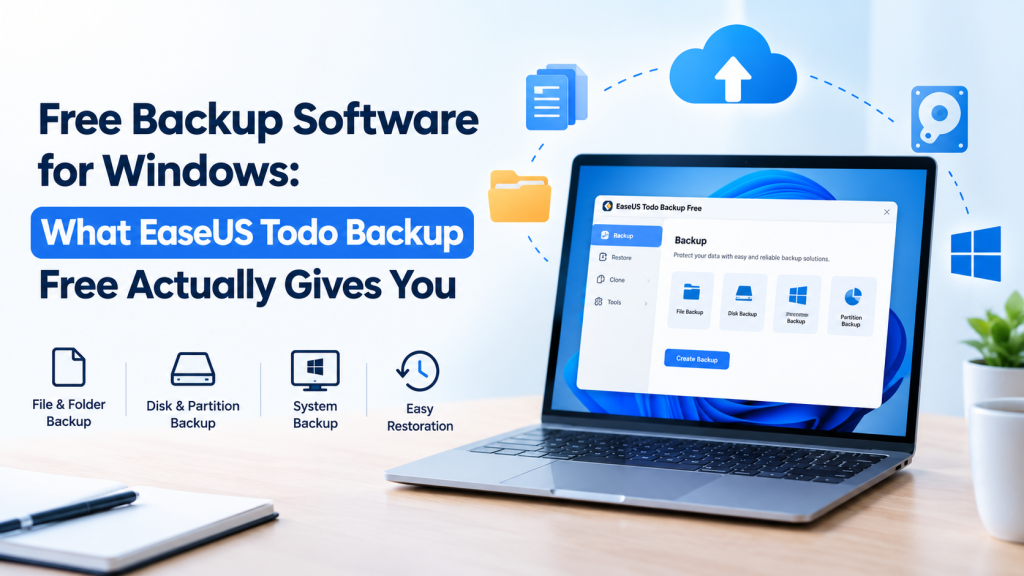
Free Backup Software for Windows: What EaseUS Todo Backup Free Actually Gives You

Nobody backs up their PC until something breaks. A drive dies on a Tuesday. A Windows update wrecks the boot process. Ransomware turns the Documents folder into gibberish. Then everyone remembers, usually too late. The good news is you don’t have to pay to do this properly. There’s plenty of free backup software for Windows, and EaseUS Todo Backup Free is one of the stronger ones. This post covers what it does, where the free version stops, and how to get a first backup done in one sitting. What it actually backs up Files and folders, obviously. But it also handles whole disks, single partitions, and Windows itself as a system image, and that image is the part worth caring about. Restore it and you get the operating system, your installed programs and your settings back in one go. No hunting for old installers. Where do the backups go? Almost anywhere sensible: a second internal drive, a USB or external disk, a NAS, a shared network folder, or cloud storage. It runs on Windows 11, 10, 8 and 7. What you get without paying Quite a lot, as it turns out. You can schedule backups daily, weekly or monthly, so you stop relying on your own memory. You can lock a backup with a password. You can pick between full, incremental and differential backups (more on those in a second). And there’s a bootable rescue disk for the day Windows refuses to start. EaseUS also says you can open, and even edit, files during a restore instead of waiting for the whole job to finish, and that you can restore to the original location or somewhere new. The cloud option needs a caveat. It’s 250 GB for 30 days, which is a trial. Nice for testing, not something to build a long-term plan on. Full, incremental, differential Full means everything, every time. Big, slow, dead simple to restore. Incremental copies only what changed since the last backup, whatever type that was, so it’s small and quick, but a restore means stitching the chain together. Differential copies everything changed since the last full backup. It gets bigger as the days pass, yet you only need two pieces to restore. For a home PC I’d start with one full backup, run incrementals on a schedule, and take a fresh full every month or so. Three copies, two kinds of storage, one somewhere else That’s the 3-2-1 rule, and it’s why a single backup sitting on your C: drive doesn’t really count. If the disk dies, the backup dies with it. Todo Backup can send backups to an external drive, a network location and the cloud, so following the rule doesn’t need a second program. Make the rescue disk first If the PC won’t boot, your backup software can’t run, and now you’re stuck. The WinPE rescue disk gets around that. EaseUS suggests creating it when you build your first backup, and I’d agree. Making one after a crash means finding another working computer, and if you don’t have one handy, that’s a bad day getting worse. Where the free version stops Cloning is the big one. Copying a disk, partition or system to a new drive is a Home feature. So are restoring a system image to different hardware and backing up app data like Outlook email, Chrome data and game files. If you’re moving to a bigger SSD, this isn’t the free tool for that. Home was $39.95 on the product page when this was written, with a 30-day money-back guarantee on paid purchases. Prices move, so check before you buy. Windows File History is not the same thing File History ships with Windows 10 and 11 and saves versions of your files to an external drive. It’s free, it’s built in, and it’s fine for documents and photos. But it doesn’t image the operating system or a full disk, so it can’t rebuild a dead Windows install. That’s the job of free backup software with system imaging, like Todo Backup Free. Your first backup It’s a wizard. Choose the source (files, a disk or partition, or the OS), choose the destination, hit start. Then, before you close the window, set a schedule and build the rescue disk. That’s a couple of extra minutes. And don’t make the drive you’re backing up the only home for its own backup. So, is it worth it? For most home users, yes. If cloning or restoring to different hardware matters to you, factor in the Home upgrade or use a separate cloning tool. Whatever free backup software you settle on, get it running this week. An okay backup that actually runs beats a perfect plan that doesn’t.  

Free Backup Software for Windows: What EaseUS Todo Backup Free Actually Gives You Read More »

The App Builder That Treats “I Have an Idea” as a Real Starting Point

There’s a particular kind of frustration that comes with having a genuinely good app idea and no easy way to actually build it. Learning to code takes months you don’t have, hiring a developer takes budget most early founders don’t have either, and a lot of no-code tools stop short at a pretty interface with nothing real running underneath it. Emergent was built specifically for that gap, turning a plain-language description into an actual, functioning application, not just a mockup of one. Not Just Another Prompt-to-Frontend Tool A lot of AI builders that emerged over the past couple of years focus almost entirely on the visual layer, generating a slick looking screen while leaving the actual backend logic, database, and deployment as someone else’s problem. Emergent takes a noticeably different approach. Rather than a single model generating surface-level UI, it runs multiple specialized AI agents working together, one handling frontend design, another managing backend logic and database structure, working in parallel rather than in sequence. The result is a genuinely full-stack output: frontend, backend, database, authentication, and deployment infrastructure, all generated from a conversational description rather than pieced together manually. For anyone trying to build app without coding experience of their own, that distinction between a pretty prototype and a working application is really the entire point. A Workflow Built Around Iteration, Not a One-Shot Prompt Emergent doesn’t expect you to write the perfect prompt on the first try and walk away with a finished product. The process is closer to a conversation: describe what you want, get an initial build, then keep refining specific pieces through follow-up prompts, adjusting features, tweaking design, or fixing a workflow that isn’t quite right. That iterative loop matters because real software ideas rarely arrive fully formed, they evolve as you actually see them working. Speed That Changes What “Testing an Idea” Actually Means For founders and product teams, the biggest practical advantage isn’t a specific feature, it’s speed. Concepts that would traditionally take weeks of engineering time to validate can go from a written description to a working, testable application in a fraction of that time. That shift matters enormously for early-stage validation, since it means testing whether an idea actually resonates with real users happens before committing serious engineering resources to it, not after. Teams researching an AI app builder for startups tend to prioritize exactly this: the ability to move from concept to something users can actually click through, without waiting on a full development cycle just to find out if the idea holds up. Code You Actually Own, Not Code You’re Locked Into One detail that separates Emergent from a lot of lighter-weight builders is code ownership. The applications it generates are real, exportable codebases, typically built on frameworks like React or Next.js for the frontend and Node.js or similar for the backend, meaning teams aren’t stuck inside a proprietary platform with no path forward. Code can be exported, self-hosted, and extended by an actual engineering team later on, which matters a great deal for anyone planning to scale past the initial prototype stage. Built for People Who Aren’t Necessarily Developers Emergent is explicitly designed around accessibility for non-technical founders and product-minded builders. Requirements are described in plain language rather than code, and the platform handles the technical translation underneath. That doesn’t mean zero learning curve, getting genuinely production-ready results still benefits from clear, specific prompts and some iteration, but it removes the traditional barrier of needing engineering expertise just to get started. What’s Worth Knowing Before You Dive In Like most credit-based AI tools, it’s worth understanding how usage is priced before building anything substantial. Credits are consumed based on the actual work the platform performs, meaning a complex build with multiple iterations will use more than a simple one. It’s a fair model, but one worth planning around rather than being surprised by mid-build. It’s also worth setting expectations that AI-generated applications, however capable, still benefit from a human review pass before going into full production use, particularly around security and edge cases a first draft might not anticipate. The Bottom Line The gap between having an idea and having something real to show for it has always been where most projects stall out. Emergent exists specifically to shrink that gap, turning a plain-language description into an actual, working, full-stack application rather than a static mockup. For founders and teams who want to test, build, and iterate quickly without waiting on a traditional development cycle, it’s one of the more genuinely capable tools currently doing that.

The App Builder That Treats “I Have an Idea” as a Real Starting Point Read More »

Why Grammarly Has Become the Quiet Editor Behind So Much of What We Write

Most writing mistakes don’t happen because someone doesn’t know the rules. They happen because we’re typing fast, thinking about the point we’re trying to make, and simply don’t catch the small slip until after we’ve hit send. A misplaced comma in a text is harmless. The same mistake in a client email or a job application is a different story entirely. That’s the exact gap Grammarly has spent over a decade quietly closing. More Than a Red Squiggly Line Basic spell check has been around for decades, and most people assume that’s roughly what Grammarly does, just with a nicer interface. In reality, the gap between the two is significant. Grammarly analyzes writing at the level of grammar, sentence structure, tone, and clarity, not just spelling. It can flag a sentence that’s technically correct but reads as confusing, or a phrase that comes across as blunter than you intended. For anyone who has sent a message and immediately wondered if it sounded harsher than they meant, using a proper AI grammar checker before hitting send catches exactly that kind of issue before it becomes an awkward follow-up conversation. It Follows You, Not the Other Way Around One of the more practical reasons Grammarly has stuck around is that it doesn’t live inside a single app. It works across email, docs, social media, Slack, and pretty much anywhere else you’re typing, through a browser extension, desktop app, and mobile keyboard. That matters because writing mistakes don’t confine themselves to one platform either. A typo in a LinkedIn post is just as visible as one in a formal report, and Grammarly treats both with the same level of attention. Tone Detection Solves a Problem Most People Don’t Realize They Have Grammar and spelling are the obvious use case, but Grammarly’s tone detection feature tends to be the one people find genuinely surprising once they start using it. It reads a message and flags how it’s likely to come across, whether that’s overly formal, unintentionally curt, or even accidentally passive aggressive. Text is famously hard to read tone into correctly, and having a second set of eyes on that before sending a sensitive email can prevent a lot of unnecessary friction. Anyone specifically hunting for email writing assistant tools to sound more professional without sounding stiff will likely find this feature does a lot of that heavy lifting automatically. Built for More Than Just Catching Mistakes Beyond corrections, Grammarly also offers suggestions aimed at making writing more concise, more engaging, or better suited to a specific audience. For students, professionals, and anyone regularly producing written content, that goes beyond error correction into actual writing improvement, the kind of feedback that used to require asking a colleague to proofread something for you. Plagiarism Checking for Academic and Professional Peace of Mind Grammarly’s premium tiers also include a plagiarism checker that scans submitted text against a large database of web content and academic papers. For students submitting coursework or professionals producing original content for clients, that extra layer of verification can catch accidental overlap before it becomes a much bigger problem than a rewritten sentence. A Tool That Scales From a Text Message to a Thesis Part of what makes Grammarly genuinely useful is how well it adapts to different kinds of writing. The same tool that flags a typo in a quick Slack message can also review the structure and clarity of a lengthy research paper. That range means it’s not a niche tool for one specific use case, it’s more like a baseline layer of quality control across everything you type, regardless of length or formality. The Bottom Line Good writing isn’t really about knowing every grammar rule by heart, it’s about catching the small things that slip through when you’re focused on the message itself. Grammarly exists to be that second pass, quietly checking your grammar, tone, and clarity across every platform you write on, so what you send out is actually what you meant to say. For something that runs quietly in the background of your day, it has a surprisingly large impact on how clearly you come across.

Why Grammarly Has Become the Quiet Editor Behind So Much of What We Write Read More »

OG Esports: The Most Iconic Name in Competitive Gaming

There are organisations in esports that win. There are organisations that build a following. And then there is OG — the organisation that did something no other team in the history of competitive gaming had ever managed, and built one of the most authentic fan communities the industry has ever seen in the process. In 2026, OG is entering a new chapter — new branding, new rosters, renewed ambition — while staying entirely true to the identity that made it legendary in the first place. Whether you’ve followed them since the beginning or you’re discovering them now, here’s everything that makes OG unlike anything else in the world of esports. The History That Made Everything Possible OG was founded in 2015, and within three years had achieved something the entire competitive gaming world considered impossible. Winning The International — Dota 2’s most prestigious annual world championship, bringing together the best teams globally for prize pools reaching tens of millions of dollars — once would have been extraordinary. OG did it back to back, in 2018 and 2019, becoming the first and still the only organisation in history to lift the trophy consecutively. That achievement is not just a footnote in esports history. It is the foundation of everything OG represents — proof that an organisation built around genuine team culture, deep mutual trust, and a playing style that defied convention could reach heights that more traditional, rigid systems couldn’t touch. The players who achieved it, and the story behind how they got there, became some of the most compelling narratives the industry had ever produced. That history doesn’t gather dust at OG. It actively shapes the culture, the values, and the identity of everything the organisation does today. A 2026 Rebrand That Means Something At the start of 2026, OG returned to its original colours and logo — the iconic green identity that the organisation wore during its most legendary years, including both International victories. The rebrand wasn’t cosmetic. It was a statement. The message from the organisation was direct: “Green shaped our history. Now it fuels our future.” After a period under different visual branding tied to a commercial partnership, the return to green was a reaffirmation of OG’s core identity — who they are independently of external affiliations, what they stand for as a competitive organisation, and what the community has always associated with the name. In an industry where rebrands often feel like calculated marketing moves, OG’s return to its roots felt like the opposite — a deliberate, values-driven decision to reconnect with the fans who have been there from the beginning and signal clearly to everyone watching that the organisation’s best chapters are still ahead. Competing at the Highest Level Across Multiple Titles OG’s competitive presence in 2026 spans Dota 2 and CS2 — two of the most watched and most competitive titles in professional gaming. The Dota 2 roster for 2026 made headlines for a different reason than usual: OG unveiled a full SEA (Southeast Asia) squad for the first time in the organisation’s history, bringing in players from a region with an incredibly passionate fanbase and a distinctly different playing style. For an organisation historically associated with European talent, this shift signals a genuine ambition to grow OG’s global footprint — not just competitively but also as a community brand that resonates across regions and time zones. The CS2 side continues to build, bringing in new talent and developing the kind of deep team chemistry that OG has always placed at the centre of its competitive philosophy. The most recent signing — Raven, added to the roster in June 2026 — reflects an ongoing commitment to strengthening across both titles as the 2026 season develops. The 2026 Jersey: Legacy Woven Into Every Thread The 2026 OG jersey launched in January alongside the rebrand — and it has become one of the most talked-about pieces of esports merchandise of the year. Built in green tones with updated symbolism drawn directly from OG’s original visual identity, the jersey is more than a team shirt. It is a wearable piece of the history that made the organisation legendary. Esports merchandise has matured significantly. The era of oversized gaming jerseys with clashing sponsor logos is giving way to genuinely considered designs that fans are proud to wear beyond tournament venues and living rooms. OG’s 2026 jersey sits firmly in that new era — a clean, premium design that carries meaning for anyone who knows what the green represents, and makes a strong impression on anyone who doesn’t yet. A Community Unlike Any Other in Esports What has always separated OG from other high-performing organisations is the relationship between the team and its fans. From the earliest days, the players and leadership at OG built a culture of openness — sharing the internal story of the team, including the difficult parts, in a way that most esports organisations carefully avoid. That transparency created a different quality of connection. OG’s community doesn’t just follow results. They follow the journey. They understand the philosophy, they recognise the culture, and they feel genuinely involved in what the organisation is building — not just spectators watching from outside. The OG Fan Token, developed through a partnership with Chiliz, which acquired a majority stake in OG in September 2025, is the newest expression of that community relationship. It gives fans a direct digital stake in the organisation’s ecosystem — with access to exclusive experiences, merchandise integration, and mechanisms that turn passive fandom into active participation. For a community already unusually engaged, this adds a new dimension to what following OG can actually mean in practice. $38 Million in Prize Earnings — And Still Building OG ranks among the top two organisations globally by all-time tournament prize earnings, having accumulated nearly $38.9 million across competitive events since its founding. That number reflects consistent presence and performance at the highest level of competition across nearly a decade — not a single lucky run but a

OG Esports: The Most Iconic Name in Competitive Gaming Read More »

Build Your Online Store With Shopify — The Smart Way to Sell Worldwide

Starting a business used to mean choosing between two options: spend a fortune building something custom, or settle for something basic that held you back the moment you started growing. That choice no longer exists. And Shopify is the reason why. Whether you’re a first-time entrepreneur with a single product and a big idea, or a growing brand ready to take your business global — Shopify gives you the tools, infrastructure, and reach to build something serious. From the first product listing to the millionth sale, it scales with you without ever asking you to start over. Here is why millions of sellers in every corner of the world have made Shopify the home of their business — and why you should too. 1. Your Store. Live. In Minutes. The single biggest barrier between most people and their first online sale is the belief that building a proper store is complicated, expensive, or both. Shopify’s online store builder removes that barrier entirely. You start by choosing from a library of professionally designed, mobile-responsive themes — each one built by designers who understand not just how a store should look, but how it should convert visitors into buyers. You customise it with your brand — logo, colours, fonts, product images — through a visual editor that requires no technical knowledge. You add your products, set your prices, configure shipping, and you are live. In 2026, Shopify’s AI store builder takes this further. Describe your brand and products in plain language, and the AI generates a complete, customised storefront built around your specific business. A structured, professional store that reflects your identity — created in the time it takes to write a paragraph. For the vast majority of sellers, the technical side of launching a Shopify store is the easiest part of starting a business. Which is exactly how it should be. 2. Pricing Built for Every Stage — From Day One to Scaled One of the most important things to understand about Shopify pricing plans is that they are designed to grow with you, not trap you. The Starter Plan is the entry point — ideal for entrepreneurs who want to sell through social media, messaging apps, or an existing website before committing to a full storefront. The Basic Plan is where most new businesses begin their Shopify journey. A complete online store, unlimited products, core ecommerce features, and everything needed to take and fulfil orders from day one. The Shopify Plan adds more staff accounts, better analytics, and tools that growing businesses actually need as order volumes increase and teams expand. The Advanced Plan brings enterprise-level reporting and the kind of automation that saves hours every week for high-volume operations. And Shopify Plus is the fully managed, infinitely customisable enterprise solution trusted by some of the world’s largest and fastest-growing brands — handling millions of orders, global expansion, and custom checkout experiences at a scale most platforms cannot support. Every plan includes hosting, SSL security, and platform maintenance. There are no server bills. No security patches to install. No uptime to worry about. Everything is handled — so your focus stays on selling. 3. Sell Anywhere Your Customers Are The modern buyer’s journey doesn’t begin and end on a single website. It starts on social media, moves through a search engine, gets influenced by a review, and converts on whichever channel feels most convenient in that moment. Shopify connects your business to every one of those touchpoints from a single dashboard. Sync your product catalogue to social media channels and let customers buy without ever leaving the app. List your products on comparison shopping platforms to capture buyers who are already searching for what you sell. Embed a buy button on any website, blog, or content platform. Accept payments in person with Shopify’s point-of-sale tools. Manage every channel — online, social, in-person — from one unified backend. Your inventory updates automatically across every channel when a sale happens. Your order history, customer profiles, and analytics consolidate in one place. You always know exactly what’s selling, where it’s selling, and who is buying it — regardless of how many channels you operate across. This is multichannel retail without the complexity that usually comes with it. And it’s available to every Shopify merchant on every plan. 4. Checkout That Converts — Every Time A beautiful store that loses customers at checkout is not a successful store. Checkout is where sales are won and lost — and Shopify payments and checkout infrastructure are designed with conversion at the centre of every decision. Fast loading. Simple flow. Minimal friction. One-click purchasing for returning customers through Shop Pay, Shopify’s own accelerated checkout that auto-fills customer details and gets buyers through in seconds. Shop Pay has been independently tested as one of the highest-converting checkout experiences on the internet — consistently outperforming alternatives across millions of transactions. For merchants, that means a measurable improvement in the percentage of visitors who complete a purchase rather than abandoning their cart. Shopify Payments is available in over 20 countries, with competitive transaction rates and no additional transaction fee when used as your primary payment method. For markets where Shopify Payments is not available, Shopify integrates with hundreds of third-party payment gateways — ensuring every customer in every country has a familiar, trusted way to pay. 5. 8,000+ Apps — Extend Your Store Without Limits Every business has specific needs that go beyond the core platform. Email marketing. Loyalty programmes. Product reviews. Subscription billing. Advanced analytics. Influencer tracking. International currency conversion. Live chat. The Shopify App Store gives you access to over 8,000 third-party apps — each one built to integrate directly into your Shopify store with minimal setup. Whatever your business needs, the app exists. Whatever problem you are trying to solve, someone has already built the tool. This ecosystem is one of Shopify’s most powerful competitive advantages. Instead of paying developers to build custom solutions for standard business problems, you find the app, install it, and move

Build Your Online Store With Shopify — The Smart Way to Sell Worldwide Read More »

Stop Paying Roaming Bills- Jetpac Global Is the Travel eSIM You’ve Been Waiting For

You know that moment when you land somewhere new, switch off airplane mode, and your phone immediately sends you a text from your carrier saying something like Data roaming is now active. Charges may apply.” Yeah. Those charges. Most travellers have been burned by this at least once. A week abroad turns into a four-figure phone bill. A weekend city break leaves you with a £200 roaming surcharge. You spend half your holiday connected to patchy hotel Wi-Fi just to avoid using your data, and the other half frantically hunting for a SIM card shop in an airport where nobody speaks English and the queue is out the door. It doesn’t have to be this way. Jetpac Global has completely rethought how travellers stay connected abroad — and once you try it, going back to your carrier’s roaming plan will feel like madness. What Is Jetpac Global and Why Should You Care? Jetpac Global is a travel eSIM — a digital SIM card you buy online, activate in minutes through an app, and use in over 200 destinations around the world. No physical card. No queuing. No asking a shop assistant to cut a SIM to the right size. Just instant, affordable international data that connects automatically to the strongest local network the moment your plane touches down. The whole process takes less time than it takes to find a plug socket in the departure lounge. You pick your plan, scan a QR code, and you’re done. Your phone does the rest. But here’s the thing — Jetpac isn’t just another data card dressed up with fancy branding. It’s a travel companion that comes loaded with perks that genuinely change the way you experience travel. Let’s get into it. 6 Reasons You Should Already Have Jetpac on Your Phone 1. Save Up to 70% Compared to Carrier Roaming Rates Let’s start with the most important number: up to 70% cheaper than what your mobile carrier charges for international roaming. That’s not a rounding-up marketing figure — it’s the kind of saving that adds real money back into your travel budget. Money better spent on an extra night somewhere nice, a meal at that restaurant you’ve been eyeing, or simply not wincing every time you open Google Maps. Jetpac plans start from as little as $10 for global coverage. Compare that to what your carrier charges per day for international roaming, and the maths speaks for itself. 2. Free Airport Lounge Access When Your Flight Is Delayed This is the feature that turns Jetpac customers into Jetpac evangelists. If your flight is delayed by more than an hour — which, let’s be honest, happens more often than airlines would like to admit — Jetpac’s SmartDelay programme gives you free access to airport lounges through the DragonPass network. Not just for you. For up to five people travelling with you. Think about what that’s worth the next time you’re sitting at a gate for three hours with a crying toddler, a dead phone, and a €12 airport sandwich. Lounge access. Complimentary food and drinks. Comfortable seating. Decent Wi-Fi. Showers at some airports. All free, because your flight was late. Most airlines charge £30–50 per person per visit for lounge access. Jetpac gives it to you as a standard perk. That’s potentially hundreds of pounds of value from a single delayed departure. 3. Your Data Runs Out — WhatsApp and Maps Keep Working Picture this. You’re in Tokyo, your Jetpac data runs out, and you’re three train stops from your hotel with no offline map saved. Nightmare scenario, right? Not with Jetpac. Even after your data allowance is fully used up, WhatsApp, Uber, Grab, and Google Maps continue to work. These are the four apps that matter most when you’re abroad and things go slightly sideways. Jetpac keeps them running as a safety net, so you’re never truly stranded — even while you sort out a top-up. No other mainstream travel eSIM provider does this as standard. It’s a small detail that makes an enormous practical difference. 4. Zero Bill Shock — Ever With Jetpac, what you see at checkout is exactly what you pay. Full stop. No hidden charges, no surprise roaming fees waiting on your next phone bill, no small print that adds 20% if you cross a certain border. Prepaid means prepaid. You choose how much data you want, you pay for it upfront, and you use it. When it runs out, you top up if you want more — on your terms, at a price you already know. The days of coming home from holiday to a phone bill that ruins the post-trip glow are genuinely over. 5. One eSIM. 200+ Countries. No Swapping. Whether you’re doing a two-week Europe trip hitting five countries, backpacking through Southeast Asia, or constantly hopping between time zones for work — Jetpac’s global and regional plans mean you never need to buy a new SIM at each border crossing. Your eSIM stays in your phone. It connects automatically to the best available local network in each country you visit. You manage everything — data usage, top-ups, travel perks — through the Jetpac app. It’s genuinely as simple as it sounds, and it works with 4G and 5G networks wherever they’re available. 6. Membership Plans That Reward Frequent Travellers If you travel more than a handful of times a year, Jetpac’s membership tiers are worth a serious look. JetFlex gives you 15% off all standard plan pricing — a simple, no-fuss saving that compounds nicely over multiple trips. JetPro at $45/month is the one that gets frequent flyers genuinely excited. You get 7GB of global data usable across 150+ countries, one free DragonPass lounge pass every month (whether your flight is delayed or not), priority security fast track at select airports, and a VPN trial. For anyone who boards a plane more than once a month, this is exceptional value. Who Needs Jetpac Global Right Now? The business traveller who’s sick of expensing

Stop Paying Roaming Bills- Jetpac Global Is the Travel eSIM You’ve Been Waiting For Read More »

Scroll to Top